10 Best AI Tools for Beginners in 2026 – Free Guide for Students & Freelancers
Updated: July 25, 2026 | Reading Time: 9 minutes
Introduction
Artificial Intelligence is no longer just for tech experts. In 2026, AI tools have become accessible, user-friendly, and essential for everyone — from students and freelancers to business owners and creatives. If you're new to AI and don't know where to start, this guide is for you.
We've tested hundreds of AI tools to bring you the 10 best AI tools for beginners in 2026. These tools are free or have free plans, easy to use, and can help you write, code, design, create videos, and boost productivity — all with zero experience required.
Whether you're a student looking to research faster, a freelancer wanting to streamline your workflow, or a professional exploring AI for the first time, this list has something for everyone.
Why AI Tools Are Essential for Beginners
The world is rapidly changing, and AI is at the forefront of this transformation. For beginners, AI tools offer a unique opportunity to learn new skills, complete tasks faster, and gain a competitive edge.
Here are three key reasons why you should start using AI tools today:
- Save Time: AI tools can automate repetitive tasks, allowing you to focus on what matters most.
- Learn Faster: AI can simplify complex concepts, making learning easier and more enjoyable.
- Boost Productivity: AI helps you accomplish more in less time, increasing your output and efficiency.
1. ChatGPT – Best All-in-One AI Assistant
Category: Writing & Research | Free Plan: Yes | Paid Plan: $20/month
ChatGPT is the most popular AI tool for beginners. It can write articles, answer questions, generate ideas, help with coding, and even act as a personal tutor. The free version (GPT-3.5) is powerful enough for most daily tasks.
Example: A student used ChatGPT to research a history paper. Instead of spending hours reading through multiple sources, they asked ChatGPT to summarize key points. Within minutes, they had a comprehensive outline ready to go.
Best for: Blog writing, research, brainstorming, coding help, learning new topics.
2. Grammarly – Best AI Writing Assistant
Category: Writing & Editing | Free Plan: Yes | Paid Plan: $12/month
Grammarly helps you write clearly and professionally. It checks grammar, spelling, punctuation, and tone. Whether you're writing an email, a blog post, or a social media caption, Grammarly makes your writing better instantly.
Example: A freelancer used Grammarly to proofread a client proposal. The tool caught several grammatical errors and suggested better phrasing. The client was impressed and signed the contract the same day.
Best for: Proofreading, email writing, professional communication, academic writing.
3. Canva AI – Best AI Design Tool
Category: Images & Design | Free Plan: Yes | Paid Plan: $13/month
Canva AI makes design easy for everyone. You can create social media posts, presentations, posters, and logos using AI-powered templates and tools. Just describe what you want, and Canva AI generates professional designs in seconds.
Example: A student used Canva AI to create a presentation for a school project. They described what they wanted, and Canva AI generated stunning slides in minutes. The student received an A+ grade.
Best for: Social media graphics, presentations, marketing materials, logo design.
4. GitHub Copilot – Best AI Coding Assistant
Category: Coding | Free Plan: Limited free trial | Paid Plan: $10/month
GitHub Copilot helps developers write code faster. It suggests entire lines or blocks of code as you type. Even beginners can use it to learn coding and build projects more quickly.
Example: A beginner developer used GitHub Copilot to build their first website. Copilot suggested code snippets, fixed errors, and guided them through the process. The project was completed in half the expected time.
Best for: Learning to code, speeding up development, debugging, building projects.
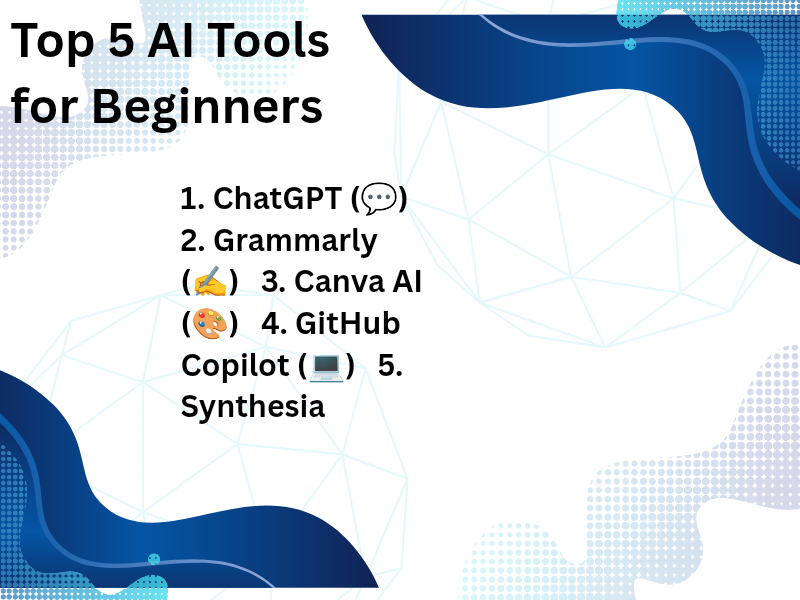
5. Synthesia – Best AI Video Creator
Category: Video | Free Plan: Limited free trial | Paid Plan: $30/month
Synthesia lets you create professional videos with AI avatars. Just type your script, choose an avatar, and the AI generates a video. No cameras, no actors — just you and your ideas.
Example: A freelancer used Synthesia to create an explainer video for a client. They wrote a script, selected an avatar, and generated the video in just a few minutes. The client was amazed and referred them to other businesses.
Best for: Explainer videos, marketing videos, training content, video presentations.
6. Notion AI – Best AI Productivity Tool
Category: Productivity | Free Plan: Yes | Paid Plan: $10/month
Notion AI combines note-taking, project management, and AI assistance in one place. It can summarize notes, generate ideas, and help you organize your work more efficiently.
Example: A student used Notion AI to organize their study notes. The tool summarized lengthy lectures, highlighted key points, and created a structured study plan. They improved their grades significantly.
Best for: Project management, note-taking, team collaboration, study planning.
7. Midjourney – Best AI Image Generator
Category: Images | Free Plan: Limited free trial | Paid Plan: $10/month
Midjourney creates stunning, artistic images from text descriptions. It's perfect for designers, artists, and anyone who needs unique visuals for their projects.
Example: A blogger used Midjourney to create unique images for their articles. Instead of spending hours searching for stock photos, they generated exactly what they needed within minutes.
Best for: Art creation, design inspiration, visual content, unique images.
8. Perplexity AI – Best AI Research Assistant
Category: Research | Free Plan: Yes | Paid Plan: None
Perplexity AI is like a search engine powered by AI. It gives you direct answers with citations from reliable sources. Perfect for students, researchers, and curious minds.
Example: A researcher used Perplexity AI to find reliable sources for their academic paper. The tool provided citations from credible journals, saving them days of research time.
Best for: Research, fact-checking, finding reliable information, academic work.
9. Jasper – Best AI Marketing Tool
Category: Marketing | Free Plan: Limited free trial | Paid Plan: $39/month
Jasper is designed for marketers and content creators. It can write blog posts, ad copy, social media captions, and email newsletters in your brand voice.
Example: A small business owner used Jasper to write ad copy for their Facebook campaign. The AI-generated multiple options, and they selected the best-performing one, which increased their sales by 20%.
Best for: Marketing content, copywriting, brand messaging, ad copy.
10. DALL-E – Best AI Art Generator
Category: Images | Free Plan: Limited free credits | Paid Plan: $15/month
DALL-E creates realistic images and art from text descriptions. It's one of the most powerful AI image generators available and is surprisingly easy to use.
Example: A graphic designer used DALL-E to generate concepts for a client's branding project. The tool created multiple unique options, helping the designer present a wide range of ideas in record time.
Best for: Creating unique images, illustrations, visual storytelling, concept design.
Bonus: DeepSeek – The Free AI Alternative
Category: General AI | Free Plan: Yes (completely free)
DeepSeek is a Chinese AI assistant that has gained massive popularity in 2026 for its strong coding and math capabilities. It's completely free and supports multiple languages, including English and Chinese.
Example: A developer used DeepSeek to write a Python function for data analysis. The tool generated clean, efficient code and even explained how it worked step-by-step.
Best for: Coding, math, logical reasoning, completely free AI assistance.
Quick Comparison Table

Conclusion
The 10 best AI tools for beginners in 2026 we've shared in this guide are all free or have generous free plans. They can help you study smarter, work faster, and achieve more in less time.
Whether you're a student looking to research faster, a freelancer wanting to streamline your workflow, or a professional exploring AI for the first time, these tools are here to help you succeed.
💡 Pro Tip: Don't try to adopt all tools at once. Start with one tool that matches your biggest need, use it for a week, and then add another. This approach ensures you get maximum value from each tool.
Ready to explore more? Visit our complete AI Tools Directory for a curated list of 20+ tools:
Frequently Asked Questions
1. Which AI tool is best for beginners?
ChatGPT is the best for beginners because it's easy to use, has a simple interface, and offers a powerful free version. It can handle multiple tasks like writing, research, and coding.
2. Are all these AI tools free?
Most tools offer free versions with limited features. The free versions are still powerful enough for beginners. For advanced features, you can upgrade to paid plans.
3. Can I use these tools without technical skills?
Absolutely! All tools mentioned in this guide are user-friendly and designed for non-technical users. You don't need any coding or design experience to get started.
4. Which AI tool is best for writing?
ChatGPT and Grammarly are the best for writing. ChatGPT helps with brainstorming and drafting, while Grammarly helps with editing and polishing.
5. Which AI tool is best for coding?
GitHub Copilot and DeepSeek are the best for coding. Both can write, debug, and explain code. DeepSeek is completely free.
6. How quickly can I see results with these tools?
Most users see improvements in productivity and efficiency within the first week of using these tools. The key is to use them consistently and explore different features.
About the Author
Mahnoor is the founder of AI Tools Directory. She is passionate about AI technology and helping people discover the best AI tools for productivity, writing, coding, and design.